Built for Australian rentals
Property Inspection Software for Australian Property Managers
All states and territories · iOS, Android and web · Works offline
The problems with manual inspections
Evenings spent typing up
Notes scribbled on site get rewritten at the office, and photos have to be matched to rooms afterwards.
Reports that vary by inspector
Different people describe the same carpet three different ways, and a report that’s easy to pick apart weakens a bond claim.
Chasing the tenant’s copy
Paper or emailed PDFs go missing, and it’s hard to prove when the tenant received and returned the report.
Finals that start from nothing
Rebuilding every room for the outgoing inspection, then flicking between documents to compare.
Every inspection across the tenancy
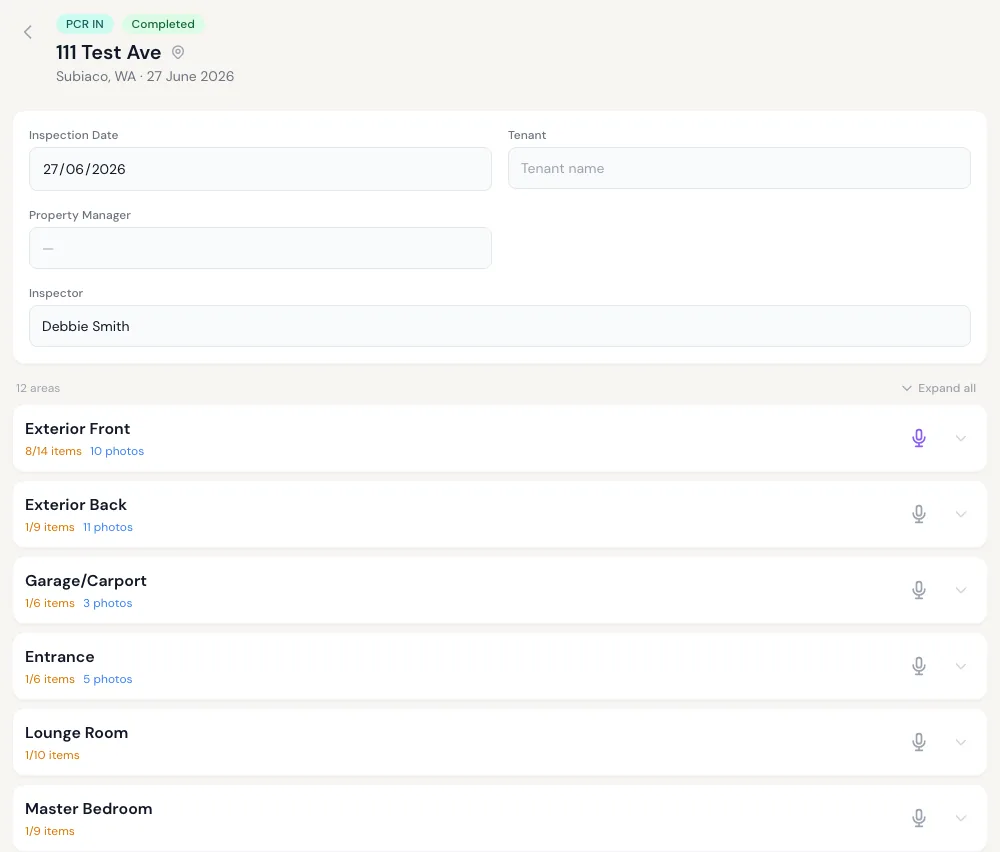
All three report types sit against the same property, so you can see how it looked at move-in, at each routine and at move-out.
Ingoing PCR
Room-by-room record of the property before the tenant moves in, with Clean, Undamaged and Working status, condition notes and photos for every item.
Routine inspections
Photograph each area, note maintenance or concerns, and send a tidy report. Each one is added to the property’s history.
Final PCR
Start from the ingoing report, record what’s changed, and classify each issue as tenant cleaning, tenant damage, fair wear and tear and so on.
What’s included
Photo-first capture
Voice notes
Optional AI drafting
Tenant review and e-signature
State-based report wording
Works offline
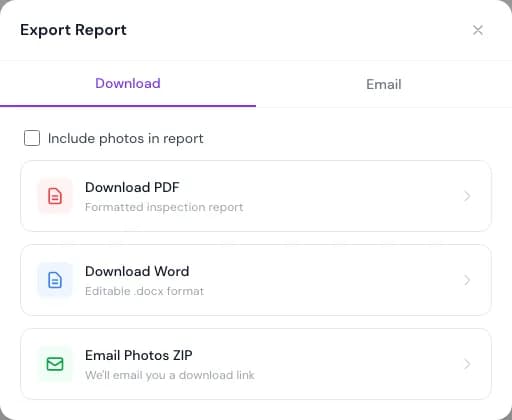
PDF and Word export
Team roles
Property records
From the property to a finished report
Who uses PCRPro
Property management agencies
Independent inspectors
Private landlords
Property inspection software FAQs
What is property inspection software?
It replaces paper forms, Word templates and camera rolls with an app that records each room and item, keeps photos with the item they show, sends the report to the tenant and produces the final document. Software like PCRPro also keeps every report for a property together across tenancies.
Do reports have to be written by AI?
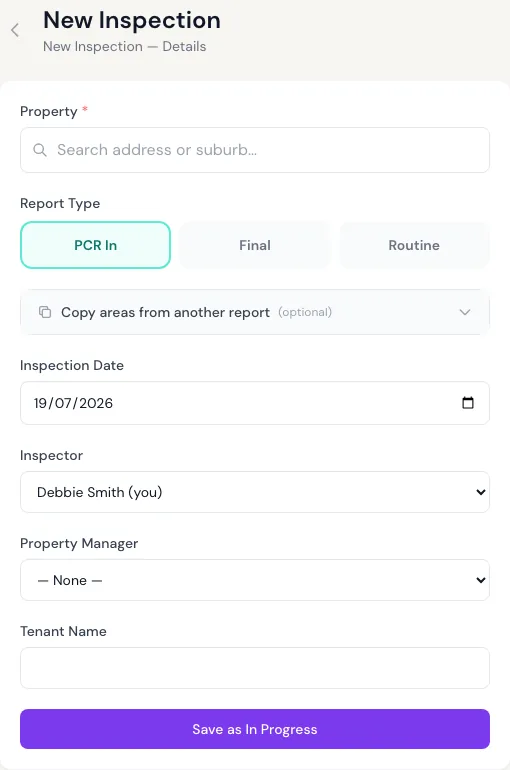
No. You can complete every item yourself, typing or dictating your notes and setting the ticks by hand. AI drafting is there if you want it, one area at a time, and you always review what it drafts.
Who designed PCRPro?
The inspectors at WA Rental Services in Western Australia. Each has more than 10 years in the field, and together they’ve completed more than 10,000 condition reports. PCRPro is the tool they designed from that experience.
Which states does PCRPro support?
All of them: WA, NSW, VIC, QLD, SA, TAS, ACT and NT. Report wording and the tenant review window are set by the property’s state. It was designed in WA, and there’s more on the WA condition report process. You remain responsible for meeting the requirements in your state.
What does a finished report include?
Property and tenancy details, every area and item with Clean/Undamaged/Working status and notes, photos if you choose to include them, the tenant’s comments, and a signature page. You can download it as PDF or Word.
What devices does it run on?
iPhone, iPad, Android and any modern web browser. Inspect on a phone or tablet, then review on a desktop.
Can we bring our existing reports across?
Yes. Import past reports as Word or PDF files and PCRPro extracts them into draft reports for you to check. Coming from another app? See switching from other inspection apps.
How much does it cost?
Landlords with up to 5 properties pay $29 a month or $288 a year, with unlimited reports. Agency pricing depends on portfolio size, so see pricing or send an enquiry.
Move your inspections off paper and templates
Agency plans are priced by portfolio size. Landlords can sign up today.